One-tap device refresh
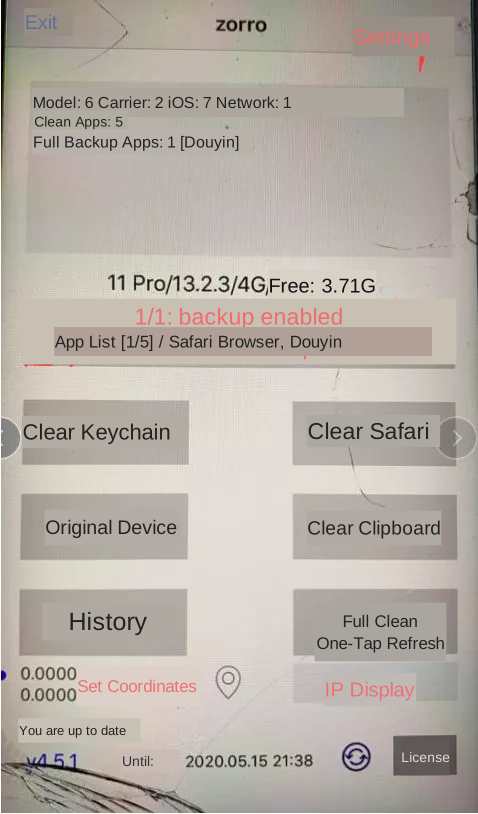
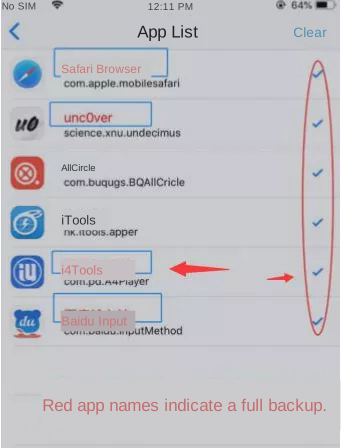
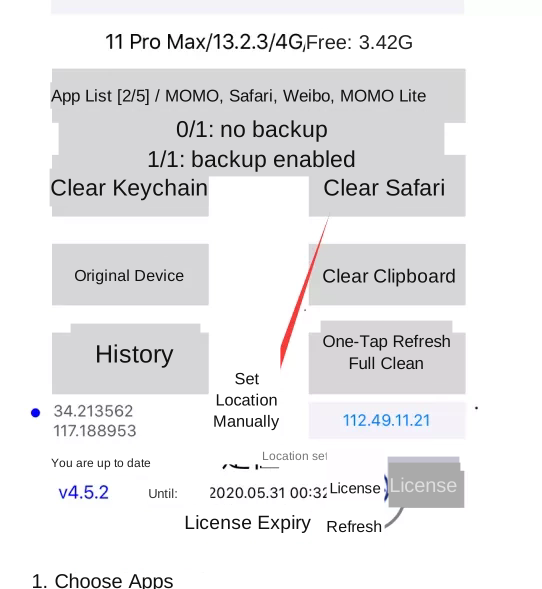
Uninstall other tools with similar functions before installing ZORRO, to prevent conflicts. Open App List and choose the apps to manage. One black check mark means refresh without backup; a second tap makes the app name red and enables refresh with backup.
Location and IP settings
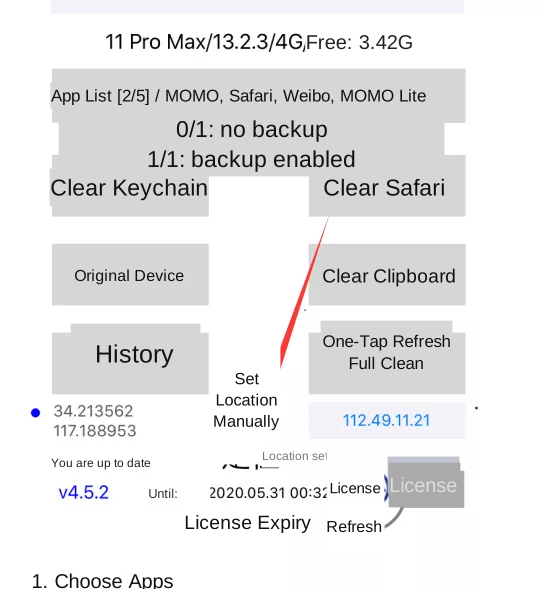
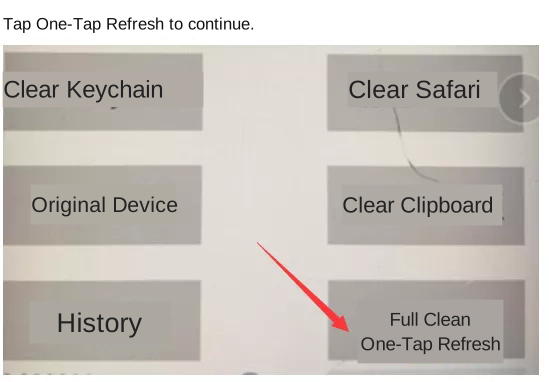
Prepare the jailbreak and installation, then configure App List, feature selection, Random Parameters and Cleaning Parameters under Settings. Configure location and IP settings before running Full Clean.
IP-based location
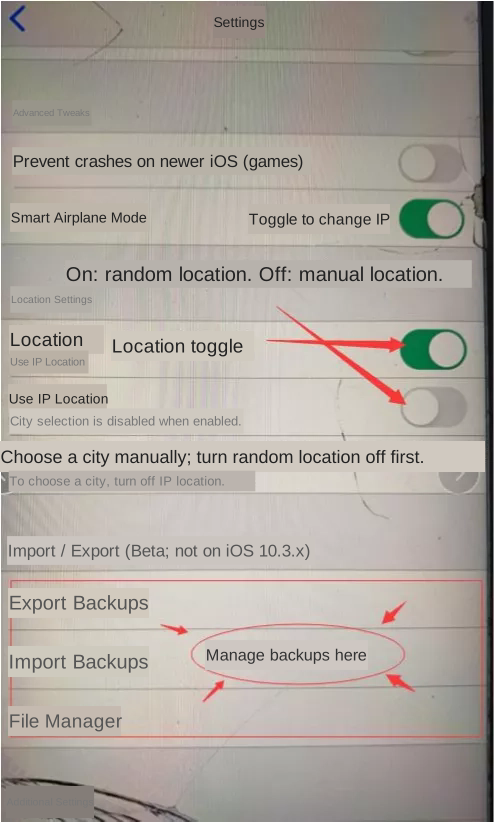
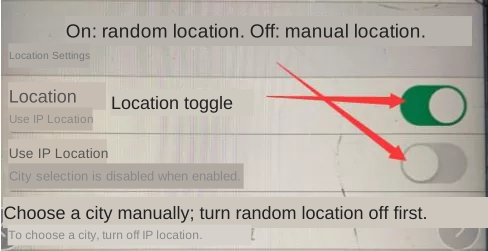
Open Settings → Location Management. Enable location simulation and also enable iOS Location Services under Settings → Privacy → Location Services. Enable Location by IP to use the region associated with the current mobile connection or proxy IP. A mobile IP commonly stays within the same city.
Manual location
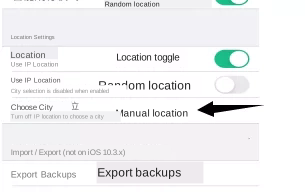
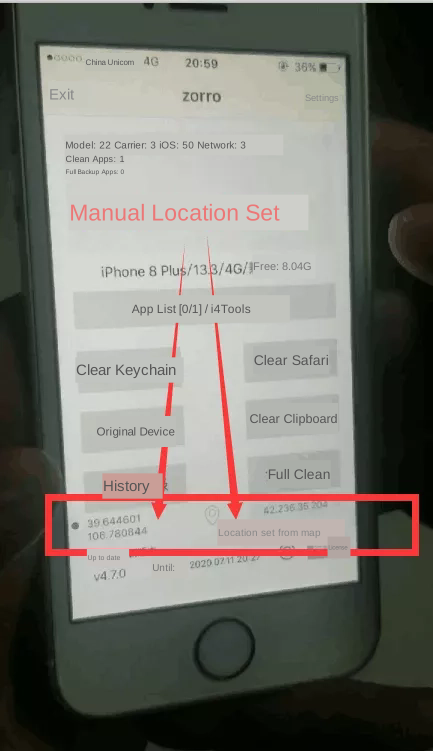
Keep location simulation and iOS Location Services enabled, and turn off Location by IP. Open the city/location selector or the location icon above the license expiry on the home screen. Zoom in to roughly 100 metres to choose a precise point. The same home screen icon can change the location after restoring a backup.
Changing the IP
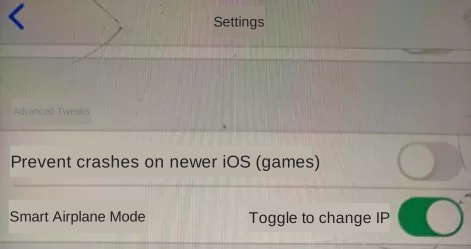
With a mobile data SIM, enable Smart Airplane Mode under Settings → Advanced Options. Each Full Clean cycles airplane mode to request a new IP. This usually does not provide nationwide location changes because the IP may remain in the same city. Alternatively, use Wi-Fi with a separately supplied third-party proxy service.
Export and import backups
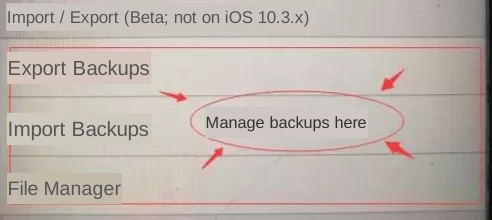
In Settings → Import/Export, export records using Export Separately. Connect the phone to a computer and use a file management tool such as i4Tools to copy the files from the export directory. To import, copy the exported backup files to the import directory, then run Import on the phone.
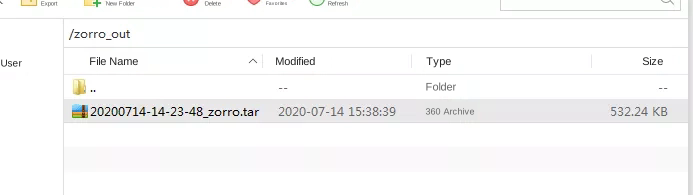
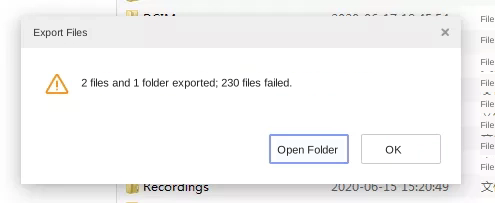
The legacy ZORRO guide lists backup storage at /var/mobile/Media/ZORRO, exports at /var/mobile/Media/zorro_out, and imports at /var/mobile/Media/zorro_in. Uninstalling the software does not delete its backup files. If the import folder is missing, open Settings → File Manager and refresh the directory list. If a large export fails, export fewer records at a time.